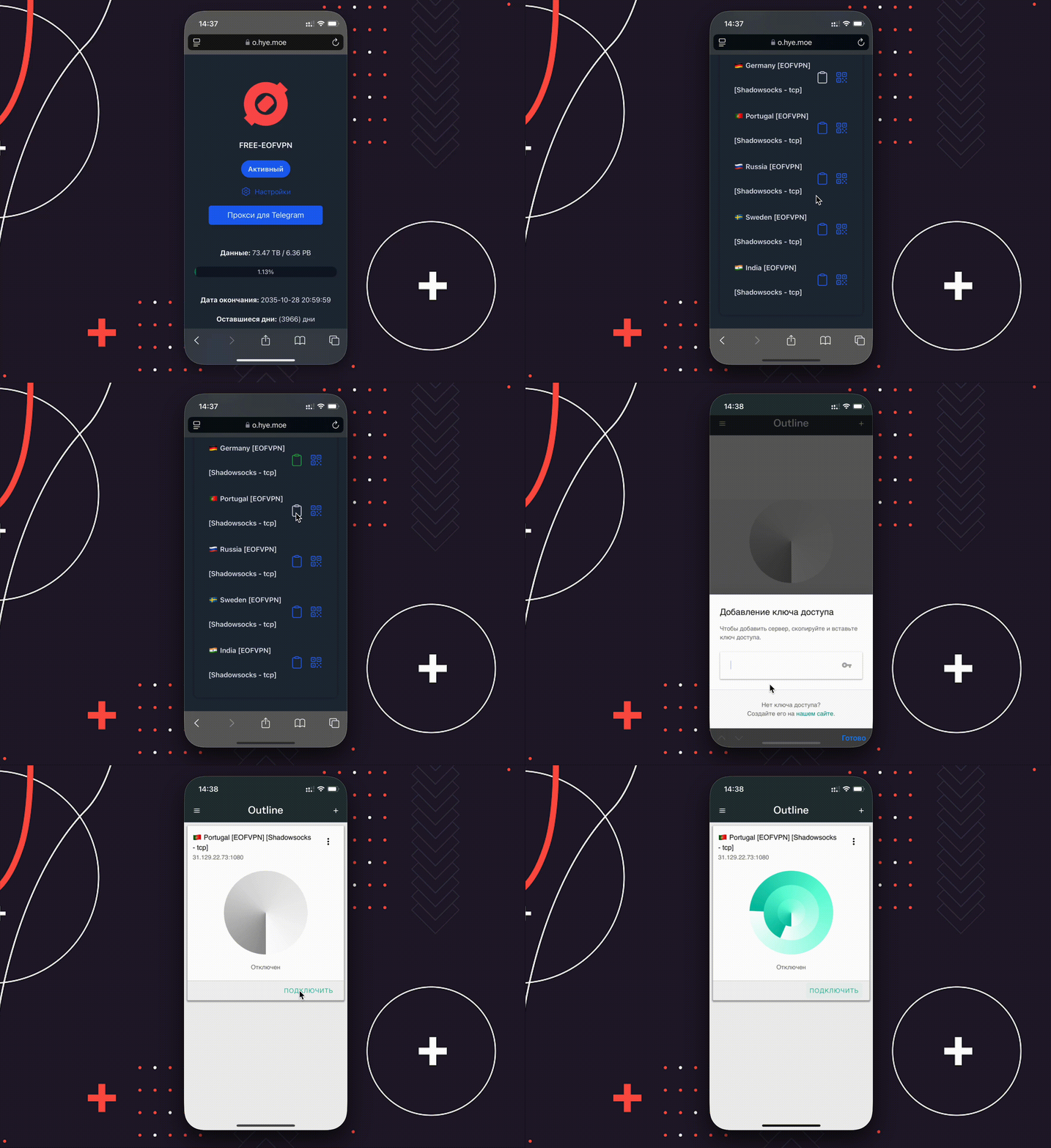

Streisand application
- Download the Streisand app from the AppStore by searching by name or by direct link -> Download Streisand
- Go to configurations (configurations are provided with the free VPN subscription. Premium users are given a personalized subscription link).
- Repeat the steps from the instructions in the GIF below
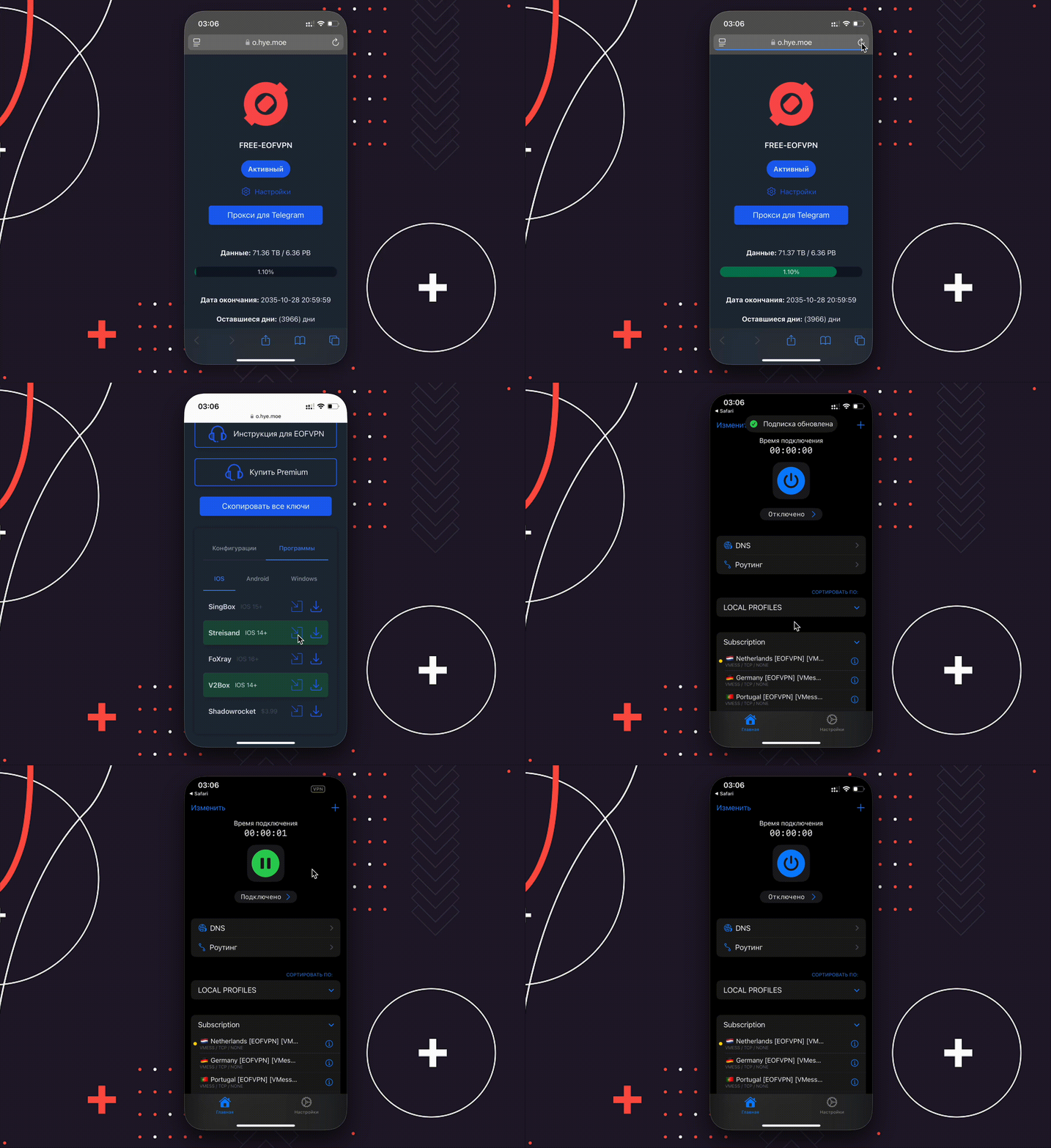
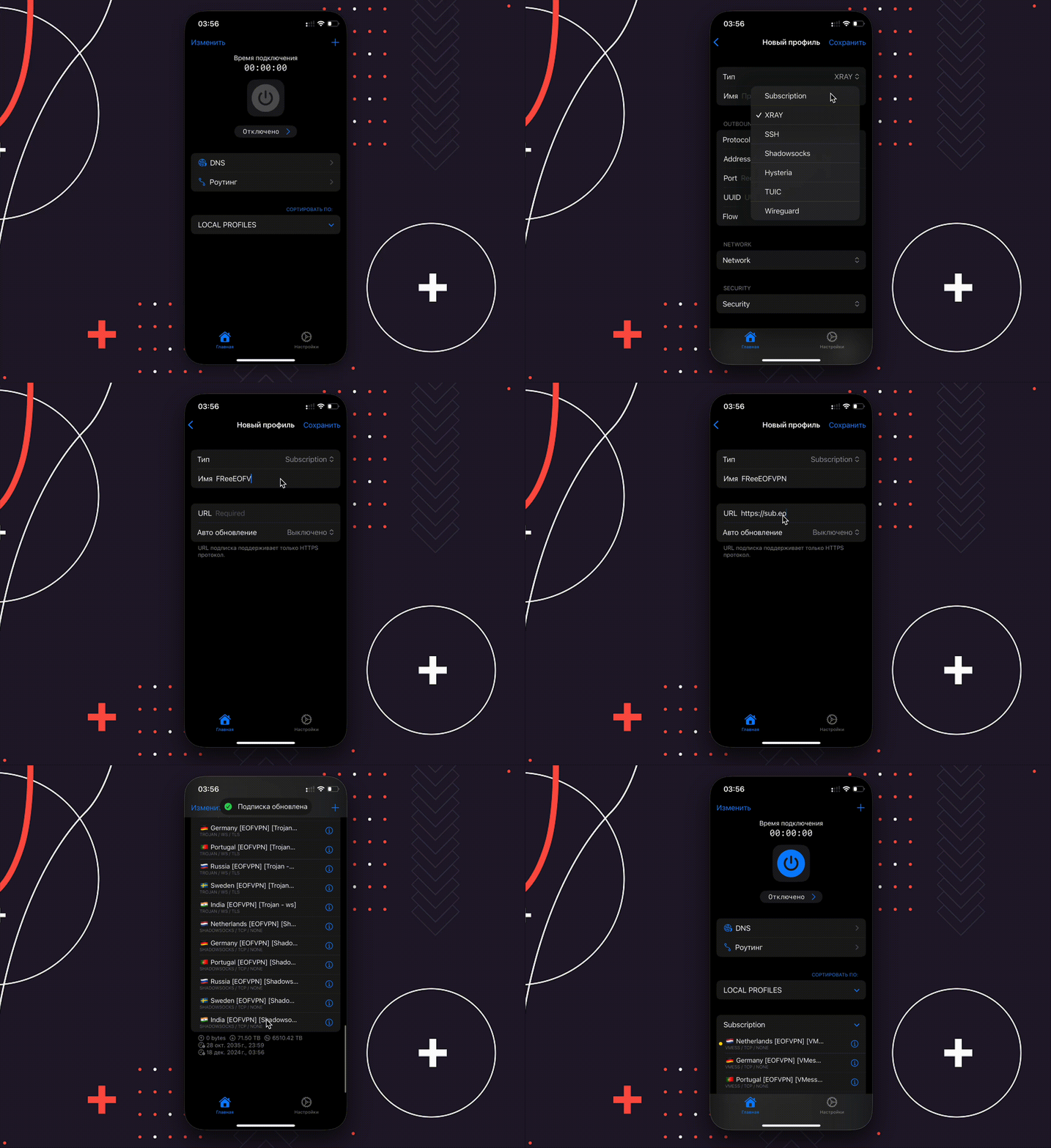
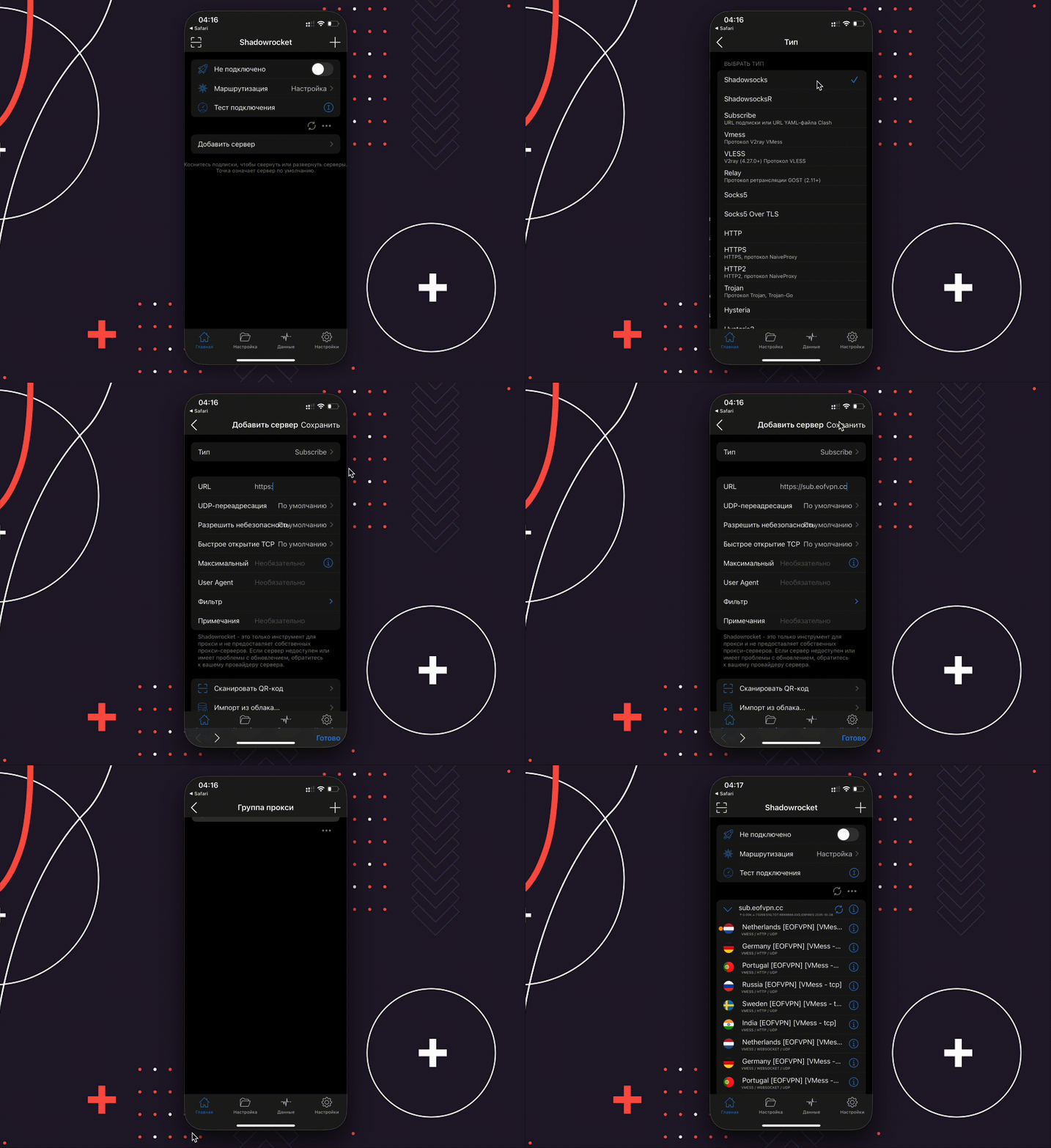
ShadowRocket application
- Download the ShadowRocket app from the AppStore by searching by name or by direct link -> Download ShadowRocket
- Go to configurations (configurations are provided with the free VPN subscription. Premium users are given a personalized subscription link).
- Repeat the steps from the instructions in the GIF below
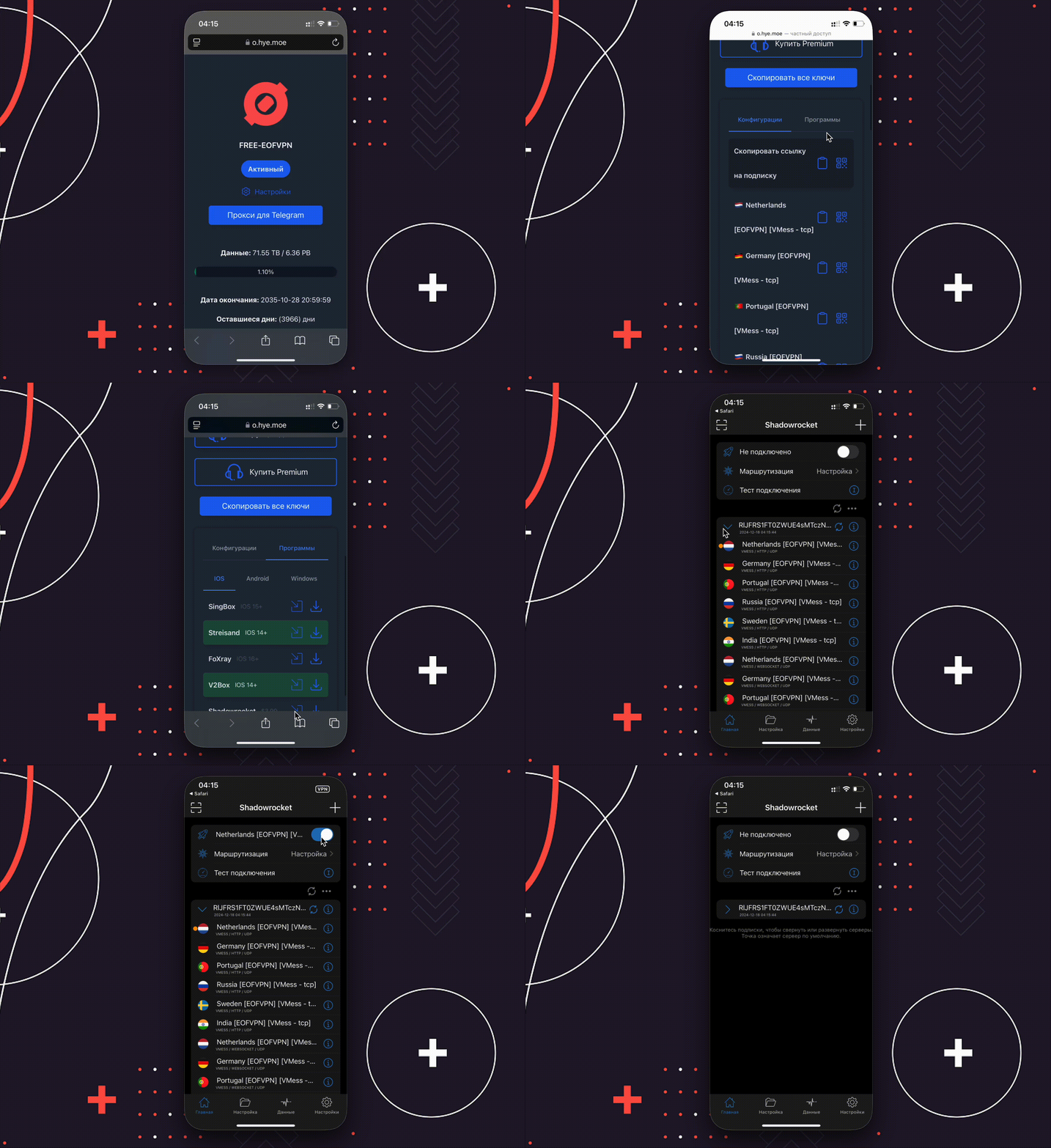
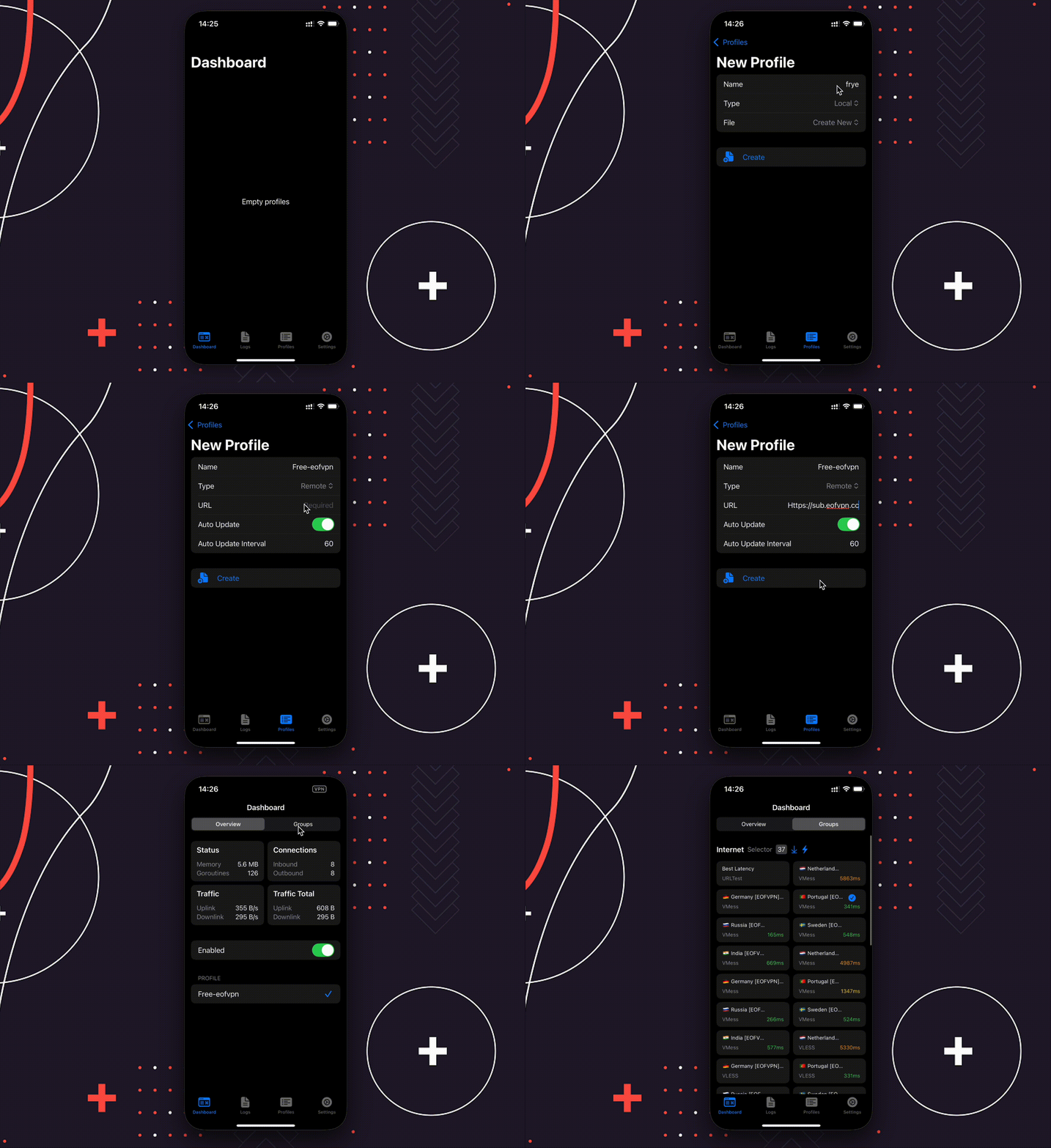
SingBox application
- Download the SingBox app from the AppStore by searching by name or by direct link -> Download SingBox
- Go to configurations (configurations are provided with the free VPN subscription. Premium users are given a personalized subscription link).
- Repeat the steps from the instructions in the GIF below
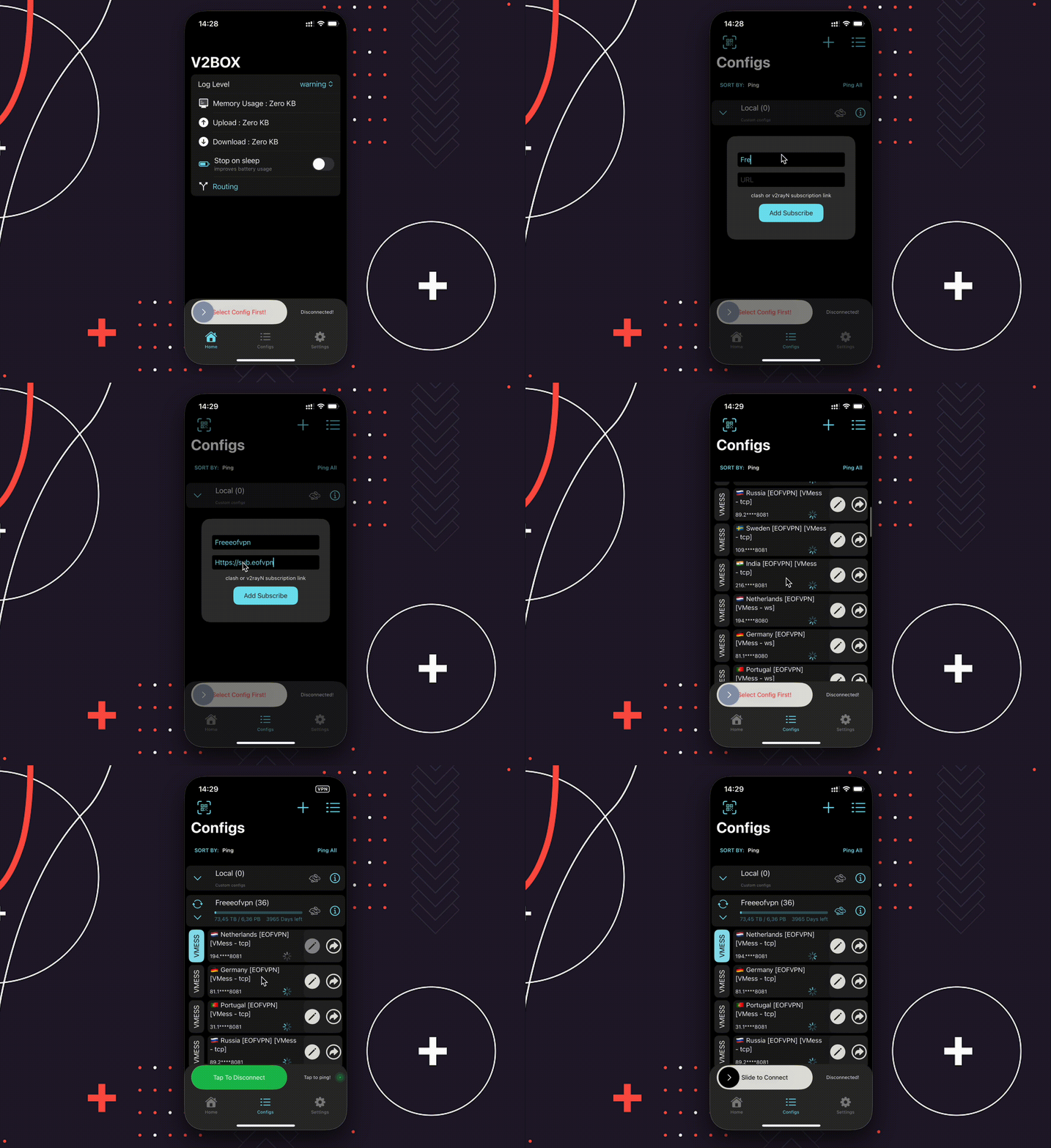
V2BOX application
- Download the V2BOX app from the AppStore by searching by name or by direct link -> Download V2BOX
- Go to configurations (configurations are provided with the free VPN subscription. Premium users are given a personalized subscription link).
- Repeat the steps from the instructions in the GIF below
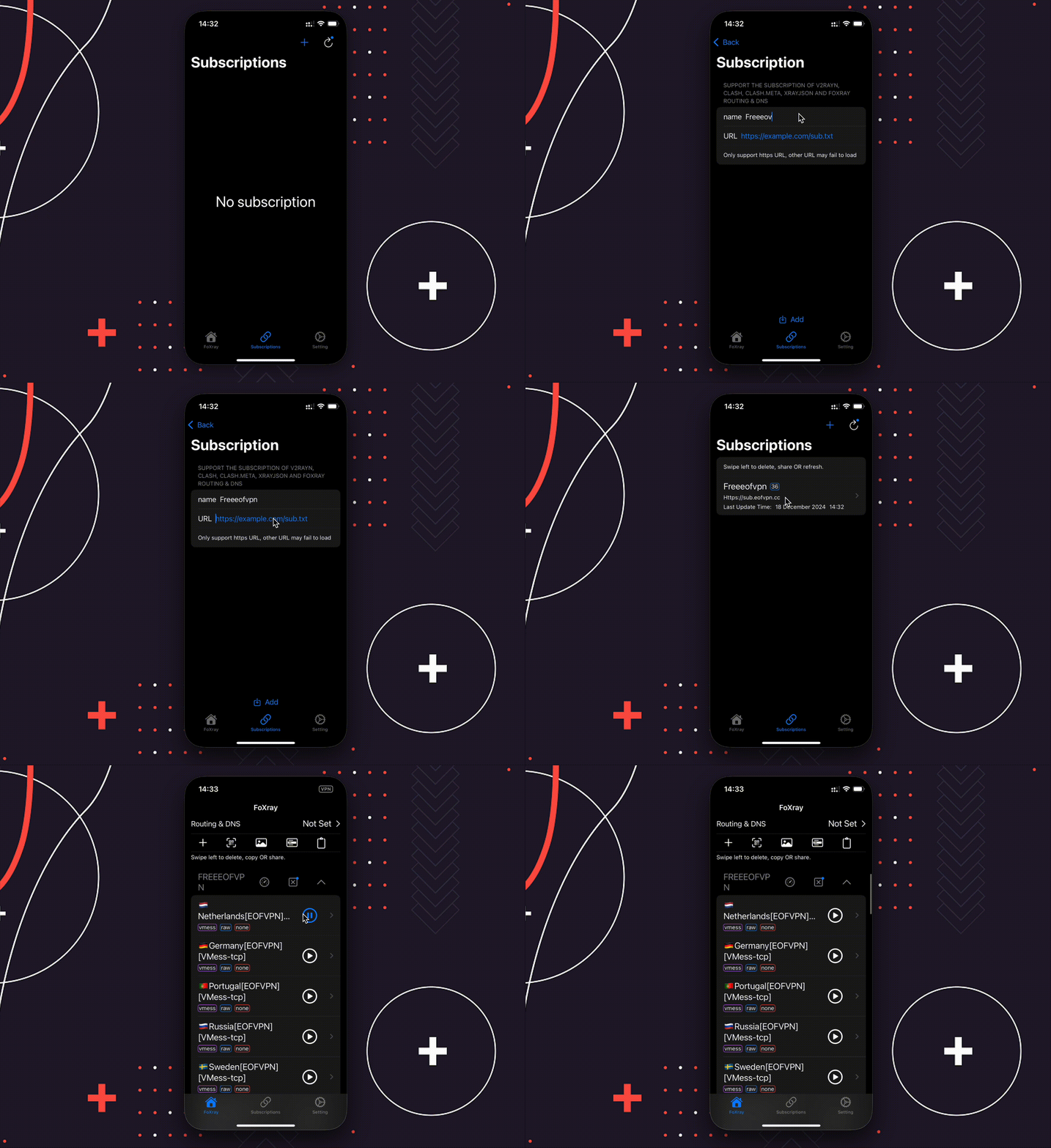
FoxRay application
- Download the FoxRay app from the AppStore by searching by name or by direct link -> Download FoxRay
- Go to configurations (configurations are provided with the free VPN subscription. Premium users are given a personalized subscription link).
- Repeat the steps from the instructions in the GIF below
Outline application
- Download the Outline app from the AppStore by searching by name or by direct link -> Download Outline
- Go to configurations (configurations are provided with the free VPN subscription. Premium users are given a personalized subscription link).
- Repeat the steps from the instructions in the GIF below